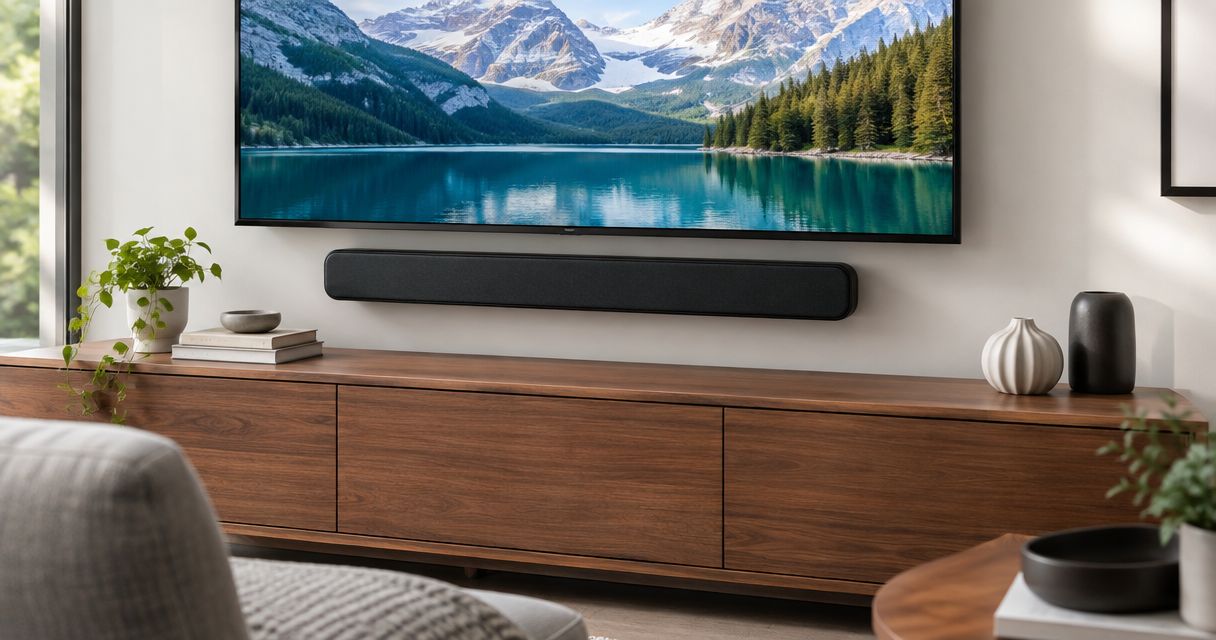
Mounting your TV on the wall does not break your Sonos setup, but it changes which cable you use and where the soundbar sits. In 2026, the fix comes down to one port: HDMI eARC on the TV. Use it, and a wall-mounted TV controls Sonos volume with the regular TV remote.
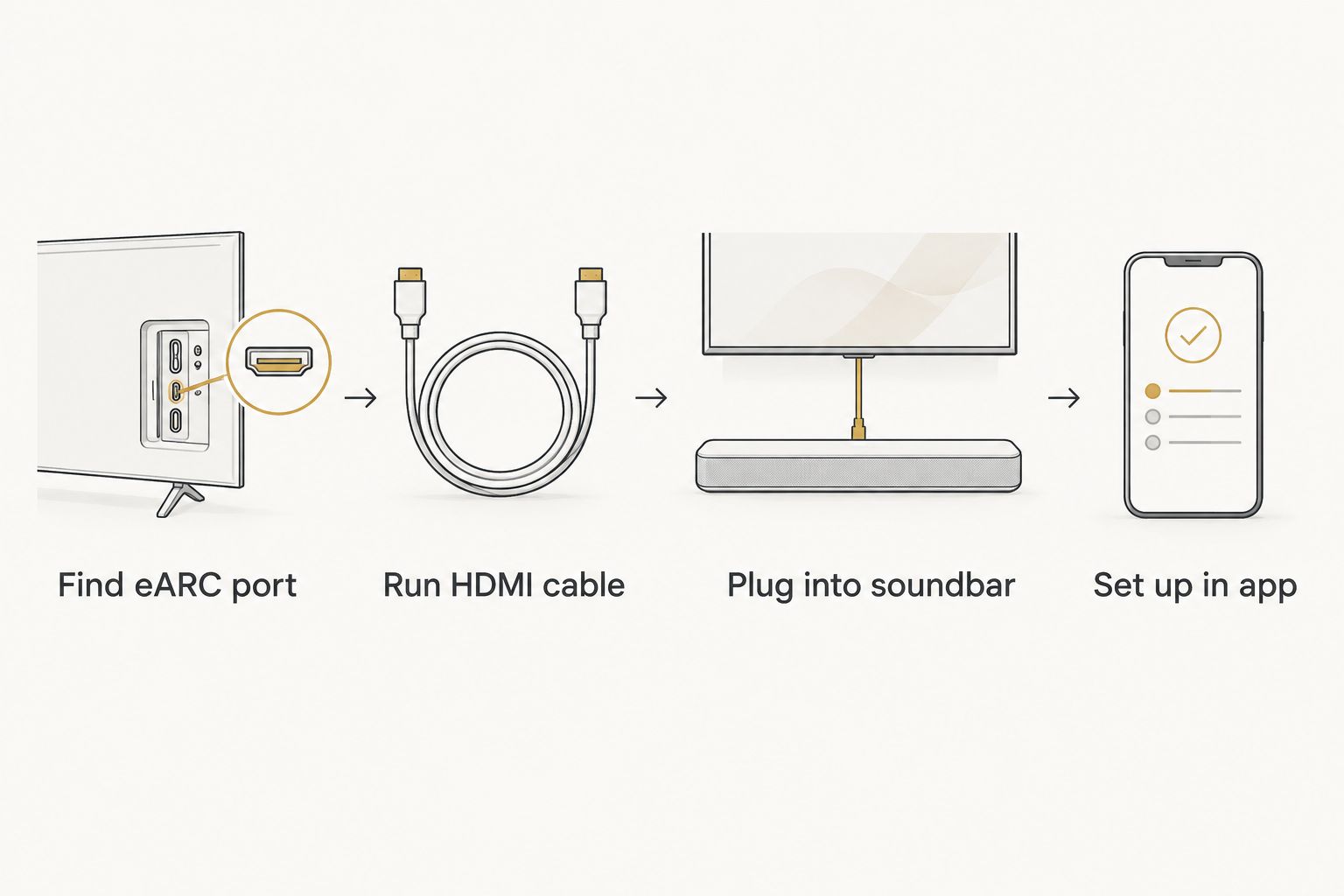
- To connect a mounted TV to a Sonos soundbar, run HDMI from the TV's eARC port to the soundbar.
- Use the HDMI port labeled eARC or ARC. Other HDMI ports will not carry audio back to the soundbar.
- Run cables before the TV goes on the wall. Fishing cable behind a mounted TV is the hardest part of the job.
- If the TV has no HDMI ARC or eARC port, use the optical cable route instead.
Why this matters
A mounted TV is flush against the wall. The ports are recessed and often face sideways or down, so a cable you could plug in during setup becomes hard to reach later. A bad connection decision at install time means pulling the TV off the bracket to fix it.
Most audio complaints after a mount trace back to the same causes: the wrong HDMI port, an HDMI cable that is too stiff for the clearance, or a soundbar placed where the mount blocks it. Plan the cable path first and the rest is a ten-minute setup.
If you want the mount itself done cleanly in Pittsburgh, see the TV mounting and home theater setup services in Pittsburgh guide.
Before you start
- What you need: your Sonos soundbar and its power cable, the HDMI cable that came in the Sonos box, the TV remote, and the Sonos app on your phone.
- Check the TV port label. Look for HDMI eARC or HDMI ARC printed next to one HDMI input. Only that port sends audio to the soundbar. Plugging into any other HDMI port is the most common reason for silent TVs.
- The gotcha: on a wall-mounted TV, the ARC port is often on the side panel, but some sets place it facing the wall. Check where it points before you mount. If it faces the wall, use a right-angle HDMI adapter or a low-profile connector, because the gap behind a slim mount can be under an inch.
Set up your physical connection
Run the HDMI cable
- Power off the TV and the soundbar.
- Find the port labeled HDMI eARC/ARC on the TV.
- Plug one end of the HDMI cable into that port.
- Plug the other end into the HDMI port on the soundbar, labeled HDMI (eARC) on current Sonos models.
- Plug the soundbar into power.
Expected result: both devices are cabled and the soundbar shows a solid or pulsing status light when powered.
Position the soundbar
- Center the soundbar below the mounted TV, or on a shelf directly under it.
- Leave the front of the soundbar clear. Do not push it into a recess or cabinet where sound reflects badly.
- If the soundbar sits on a media console, keep it below the TV's bottom edge so it does not block the screen or the TV's IR sensor.
Expected result: the soundbar is centered, unobstructed, and reachable by its cable without strain on the TV's port.
Configure the Sonos app
- Open the Sonos app on your phone.
- Tap Settings, then System, then Add Product, and follow the on-screen prompts to add the soundbar if it is new to your system.
- When the app prompts you to set up your TV, follow the steps. The app tests the connection and asks you to confirm audio is playing.
- Select TV Setup if it does not appear automatically, and let the app identify the remote.
Expected result: the app confirms the TV is connected, and sound plays through the soundbar.
Turn on HDMI control on the TV
The soundbar only follows your TV remote when the TV's HDMI control feature is on. Brands name it differently, so check the TV's settings menu.
- Open the TV's Settings menu.
- Find the HDMI device control option. It may be called HDMI-CEC, Anynet+, Simplink, Bravia Sync, or similar.
- Switch it On.
- Set the TV's audio output to HDMI ARC or eARC or External speaker rather than internal TV speakers.
- Press volume up on the TV remote and confirm the soundbar responds.
Expected result: the TV remote adjusts soundbar volume and powers the soundbar on and off with the TV.
Variant: connect with optical when there is no ARC port
Older TVs may lack HDMI ARC. If yours does, use the optical route.
- Plug a digital optical (TOSLINK) cable into the Optical Out port on the TV.
- Plug the other end into the soundbar's optical input. Sonos soundbars with HDMI often use a HDMI-to-optical adapter included in the box for this case.
- In the Sonos app, run TV Setup again and follow the IR remote learning steps so the TV remote can control volume.
Expected result: audio plays through the soundbar. Volume control may need the IR learning step, since optical cannot carry control signals.
Troubleshooting
- No sound at all. The cable is in the wrong HDMI port. Move it to the port labeled ARC or eARC, then set the TV's audio output to external speakers.
- Sound comes from both TV and soundbar. The TV's internal speakers are still on. Switch the audio output setting to HDMI ARC or external speaker.
- TV remote does not control volume. HDMI-CEC is off. Turn it on in the TV settings, then rerun TV Setup in the Sonos app.
- Audio cuts out intermittently. The HDMI cable is bent hard behind the mount or the connector is loose. Replace it with a right-angle or flexible cable rated for eARC.
- Soundbar does not appear in the app. The phone and soundbar are on different Wi-Fi networks. Connect the phone to the same network as the soundbar and retry.
Customize your workflow
Once the basic link works, expand the system:
- Add a Sonos subwoofer or rear speakers through the app for a full surround setup.
- Switch on Night Sound or Speech Enhancement from the app's room settings for late-night viewing.
- Hide the cables inside the wall for a cleaner look. That job belongs with the mount, and the guide to TV mounting over the fireplace covers what runs where when the screen sits high.
- Planning a smarter home overall? The smart home upgrades guide covers the rest of the wiring.
FAQ
What is the best way to connect a mounted TV to a Sonos soundbar?
Use an HDMI cable from the TV's eARC or ARC port to the soundbar. It carries audio and lets the TV remote control volume. Optical is the fallback.
Which HDMI port do I use for a Sonos soundbar?
Use the port labeled eARC or ARC on the TV. Other HDMI ports cannot send audio to the soundbar. The label is printed next to the port.
Why is there no sound from my Sonos soundbar on a wall-mounted TV?
The cable is usually in the wrong HDMI port, or the TV's audio output is still set to internal speakers. Fix the port and change the output setting.
Can I use my TV remote to control a Sonos soundbar?
Yes. Turn on HDMI-CEC in the TV settings and run TV Setup in the Sonos app. Optical connections use IR learning instead.
Do I need to take the TV off the wall to connect the soundbar?
Not if the ARC port is reachable. If it faces the wall, plan for a right-angle HDMI connector or connect before mounting.
What if my TV has no ARC port?
Use the optical output with an optical cable or adapter. Then run TV Setup in the Sonos app to teach the soundbar your remote.
Where should the soundbar go under a mounted TV?
Center it directly below the screen on a shelf or console, with the front clear. Keep it below the TV's bottom edge so it does not block the screen.
One last thing
Run the HDMI cable before the TV goes on the bracket, not after. A cable that takes two minutes to plug in on a bench can take an hour to fish behind a mounted set. If you are mounting in 2026 and want the cables, bracket, and soundbar placement handled together, Next Step Home Solutions handles TV mounting for Pittsburgh homes with licensed, insured work.