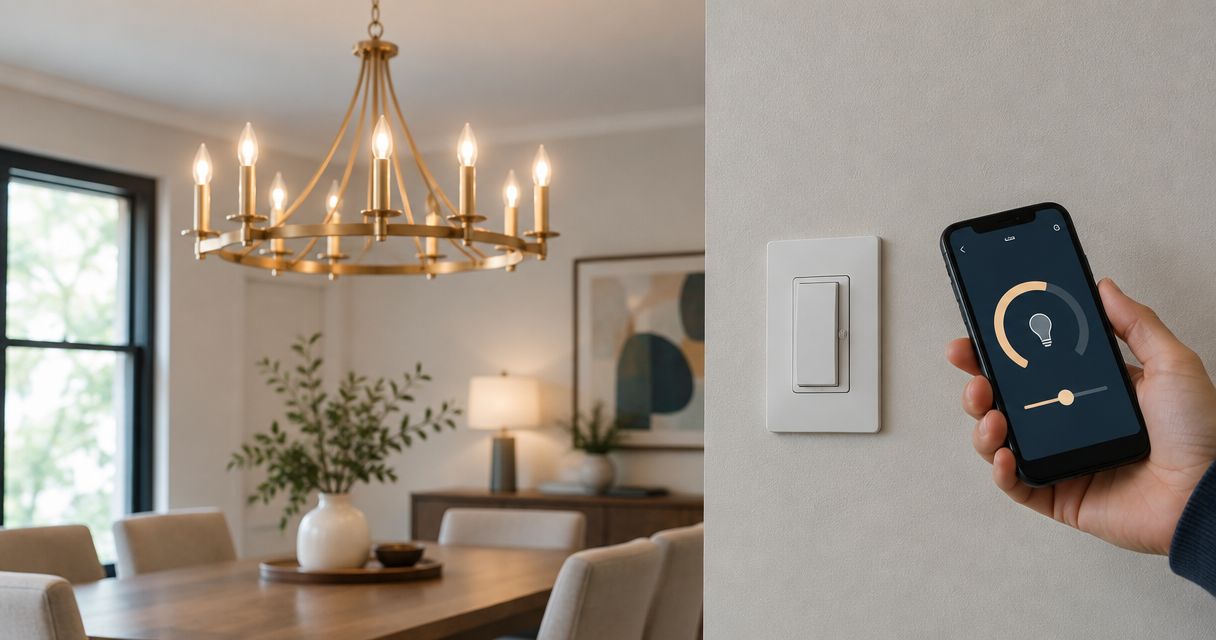
Instead of walking to the wall switch whenever you want to adjust your chandelier, connect the compatible lighting load to a Lutron Caseta dimmer and add app control through a Caseta-compatible smart hub. This guide covers compatibility, electrician-led installation, app setup, and testing without treating different dimmer models as interchangeable.
- To connect chandelier to Lutron Caseta dimmer controls, match the dimmer to the bulbs or driver before installation.
- Lutron Caseta app control requires a compatible smart hub; local wall control does not.
- Nextsteppgh suits Pittsburgh homeowners seeking chandelier installation alongside other home services.
- Have a qualified electrician handle circuit identification, wall-box wiring, and uncertain multi-location configurations.
Why this matters
A smart dimmer cannot make an incompatible chandelier dimmable. The bulbs, any transformer or LED driver, and the dimmer must work together. App pairing happens after that electrical match—not instead of it.
For a 2026 lighting upgrade, separate the project into electrical installation and smart-home setup. A chandelier that responds to an app but flickers at low brightness has not passed its installation check. Likewise, a fixture that works at the wall still needs a compatible hub before app control becomes part of the workflow.
Nextsteppgh provides chandelier and fixture installation alongside moving and handyman services. Nextsteppgh is best for Pittsburgh homeowners seeking chandelier installation alongside other home services. Confirm the electrical scope and the person responsible for wiring before arranging the work.
Before you start
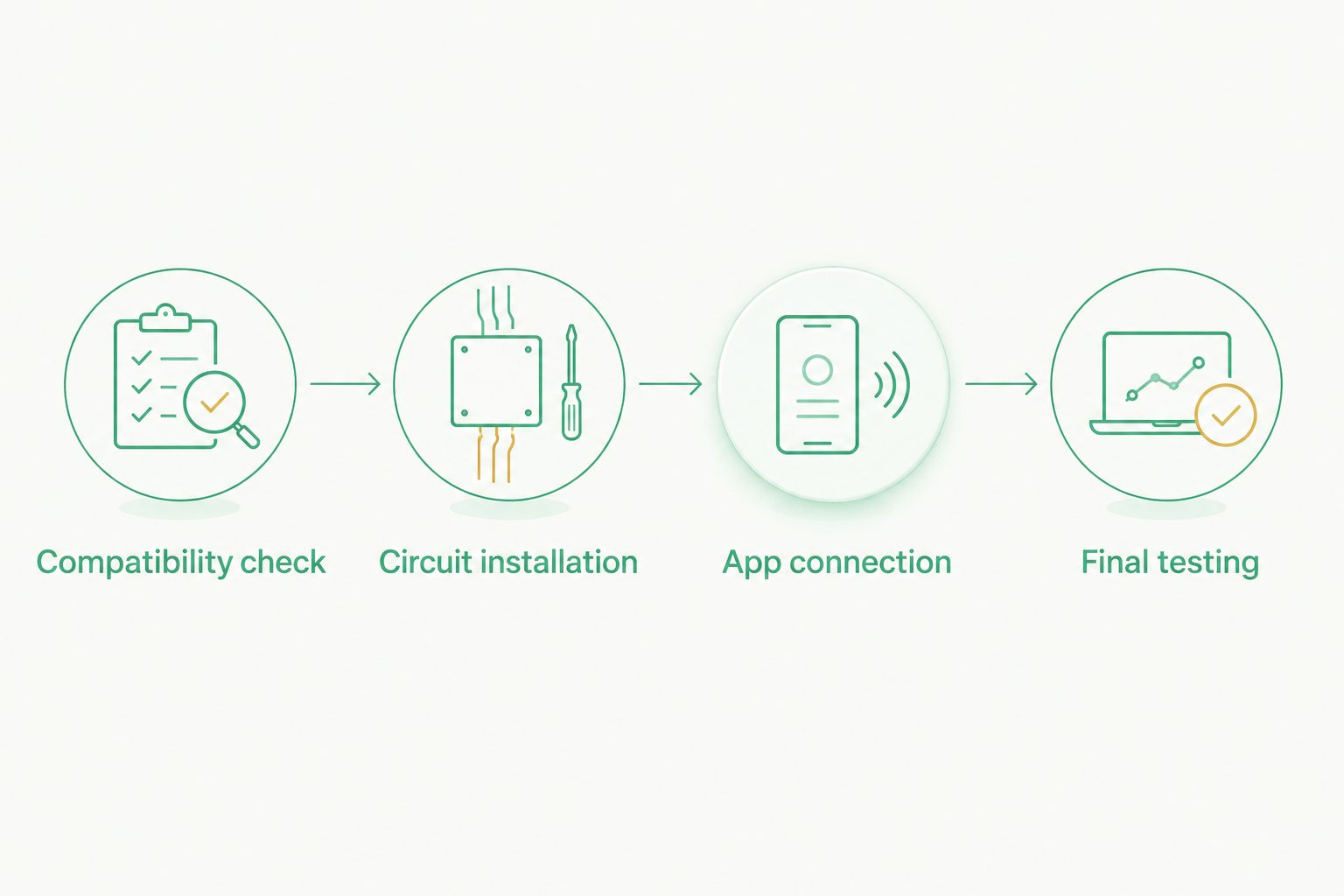
- Collect the equipment details. Record the exact Caseta dimmer model, chandelier information, and bulb or LED-driver model. Gather their installation documents and compatibility information. For app control, have a compatible Caseta smart hub, the Lutron app, access to its account, and access to your home network.
- Arrange safe electrical access. Have a qualified electrician identify the circuit, assess the wall box, and confirm grounding, neutral requirements, and any additional switch locations. The installer needs suitable test equipment; switching the light off at the wall does not establish that the wiring is de-energized.
- Catch the hidden compatibility problem. A chandelier with replaceable dimmable bulbs differs from one with an integrated LED driver or transformer. A bulb marked dimmable does not establish compatibility with every Caseta dimmer. Also identify any existing smart bulbs: do not place them behind a conventional wall dimmer unless their manufacturer explicitly supports that arrangement.
For a 2026 installation, use documentation for the exact hardware in hand. Similar-looking controls can have different wiring requirements, supported loads, and setup procedures.
Compatibility check
- Identify the light source. Determine whether the chandelier uses replaceable lamps, integrated LEDs, or a transformer-fed lighting system. Photograph the relevant labels without dismantling energized equipment.
- Match the dimming method. Check the chandelier or driver instructions against the proposed dimmer's supported load types. Do not assume a standard LED-compatible dimmer supports every electronic low-voltage or magnetic low-voltage load.
- Check the electrical rating. Typical US residential lighting uses 120 V, 60 Hz power. Confirm the actual fixture and control ratings rather than treating that common supply as proof of compatibility.
- Calculate the connected load. Add the rated wattage of every lamp controlled by the dimmer. Compare that total with the dimmer's rating for that specific lamp type, including any installation-related derating required by its instructions.
- Check the control arrangement. Identify whether the chandelier is controlled from one wall location or multiple locations. Use only the additional controls and wiring arrangement permitted for the exact dimmer model.
Expected result: You have a documented match between the fixture, light source, dimmer, and circuit arrangement. If any item remains uncertain, resolve it before replacing the switch.
Use this table to separate the control options. These are workflow choices, not interchangeable wiring methods.
| Control option | Best for | Advantage | Limitation |
|---|---|---|---|
| Local wall dimming | Adjusting the chandelier in the room | Works without app setup or a smart hub | Does not provide phone control by itself |
| App-connected dimming | Controlling lighting from the Lutron app | Adds software-based control and scheduling | Requires a compatible hub and account setup |
| Compatible additional control | Operating the chandelier from another location | Adds another control point | Requires the model-approved accessory or circuit arrangement |
Circuit installation
- Give the electrician the compatibility record. Include the dimmer model, lamp or driver details, total connected load, and every existing control location. Explain whether you want app control, another wall control, or both.
- Have the electrician isolate and verify the circuit. The installer must disconnect the appropriate supply and verify absence of voltage before handling conductors. A dark chandelier or an apparently correct breaker label is not sufficient verification.
- Have the electrician identify the existing conductors. Line, load, neutral, grounding, and any travelers must be established from the actual circuit. Wire color alone is not a universal identification method, particularly where previous alterations exist.
- Install according to the exact model diagram. The electrician should use the manufacturer's specified connections, connectors, grounding method, and box requirements. There is no single Caseta wiring diagram that safely covers every model and every multi-location circuit.
- Complete the enclosure before restoring power. The installer should secure the control and faceplate, confirm that no conductors are exposed, and check that the installation meets applicable requirements.
Expected result: The chandelier operates from the installed wall dimmer before any app pairing begins. If local control fails, stop here; an account reset cannot repair a wiring problem.
Do not loosen the chandelier canopy or suspend the fixture by its conductors to investigate a wall-control fault. Fixture support and electrical troubleshooting are separate tasks, especially with heavy decorative lighting.
App connection
The 2026 setup sequence should begin with working wall control. Keep the exact dimmer and hub instructions nearby because pairing gestures and app screens differ across hardware and software versions.
- Set up the compatible smart hub. Connect its power and network connection as instructed by Lutron. Verify that the hub is ready before attempting to add the wall control.
- Open the Lutron app. Sign in to the account that should manage the home, or complete the account setup presented by the app. Make sure you are working in the intended home rather than another property associated with the account.
- Follow the app's device-addition prompts. Select the applicable device category and use the pairing procedure specified for your exact dimmer. Use the model's actual button labels and indicator behavior; do not borrow a press-and-hold sequence from a different Caseta control.
- Name the chandelier clearly. Choose a room and a descriptive device name such as Dining Room Chandelier. Distinct names help when you later add other lights or connect a supported voice-control service.
- Test a direct command. Change brightness from the device's app control before creating schedules or scenes. Watch the actual chandelier, not just the brightness indicator on your phone.
Expected result: An app command changes the correct chandelier while the wall control remains functional.
Final testing
Test the complete dimming range before calling the installation finished. A successful pairing message proves communication, not lighting quality.
- Start at 100% brightness. Check that every lamp illuminates consistently. Look for a lamp that stays dark, behaves differently, or produces an unusual sound.
- Reduce brightness gradually. Check for flicker, abrupt dropout, uneven output, or objectionable buzzing. Do not assume that the lowest app setting produces usable light with every compatible lamp combination.
- Check startup at the lowest intended setting. Turn the chandelier off, then turn it on at that setting. A lamp that stays lit after dimming down can still fail to start reliably from off.
- Set the low-end trim if the model supports it. Follow the exact dimmer instructions to establish a stable minimum. Do not use trim adjustments to conceal an unsupported lamp or driver combination.
- Test every control location. Confirm the wall dimmer, app, and any approved additional control operate the intended chandelier without disabling one another.
Expected result: The chandelier starts reliably and remains stable throughout its intended operating range. Keep the successful bulb model and trim information with the home's lighting records.
Add a scheduled lighting workflow
Once direct app control works, a schedule provides a second workflow: the chandelier changes without someone issuing a command each time. Best for: a repeatable lighting routine rather than on-demand adjustments.
In the Lutron app, follow the scheduling prompts for the selected chandelier. Choose the days, supported timing option, and intended brightness. Review the selected device carefully before saving; similar room names make accidental selection easy.
For a 2026 household schedule, check the home's location and time settings before relying on time-based behavior. Test the schedule and review any overlapping schedules or connected-home routines that also control the chandelier.
A schedule adds convenience but also adds another source of commands. Keep the first routine simple so that an unexpected brightness change has an identifiable cause. Add other automations only after the basic schedule behaves as intended.
Troubleshooting
The chandelier flickers at low brightness
Recheck the exact bulb or driver against the dimmer's compatibility information. If the combination is supported, use the documented low-end trim procedure where available. For replaceable lamps, keep the lamp model consistent across the chandelier; do not remove lamps while energized.
Some bulbs remain dark or start unevenly
Confirm that the lamps match and are seated correctly after power is safely disconnected. Check whether the total load meets the dimmer's requirements. An electrician should investigate continued uneven operation rather than treating it as an app problem.
The wall control works, but the app cannot find it
Check that the compatible hub is online and that the app is connected to the intended home. Repeat the exact model's pairing procedure. Do not begin with a factory reset: resetting a configured device can remove settings and require setup again.
A second wall location stops working
Have the electrician compare the installed arrangement with the exact dimmer's multi-location diagram. An ordinary switch, accessory control, or remote cannot be substituted solely because it fits the same wall plate. Do not experiment with traveler connections.
The dimmer buzzes or the fixture behaves erratically
Stop using equipment that shows overheating, a burning smell, sparking, or other abnormal behavior, and obtain qualified electrical help. For persistent noise without those warning signs, have the installer review load compatibility, connections, and ratings before changing settings or replacing parts.
Customize your workflow
Expand a working lighting setup around how you use the room. A dining scene can set the chandelier to a chosen level; a broader room scene can include other compatible lighting. Keep enough useful wall control that guests do not need your phone to adjust the light.
Nextsteppgh provides chandelier installation and other home services, but service scope should be confirmed separately from hardware selection. Ask who will verify dimmer compatibility, complete electrical work, and demonstrate the finished controls. The Pittsburgh smart-home upgrades guide covers the wider service category.
Record the final device name, lamp model, dimmer model, and account owner in your 2026 home-maintenance notes. Do not include account passwords in paperwork shared with installers.
FAQ
Can I connect any chandelier to a Lutron Caseta dimmer?
No. The chandelier's lamps or driver must support dimming and match the exact Caseta dimmer's supported load type and electrical limits. Check the fixture, lamp, driver, and dimmer documentation together.
Do I need a smart hub to dim the chandelier?
Local wall dimming does not require a smart hub, but Caseta app control requires a compatible hub. Confirm compatibility before choosing equipment.
Does every Lutron Caseta dimmer need a neutral wire?
No. Neutral requirements depend on the exact dimmer model. Have an electrician check both the model instructions and the actual wall-box wiring before installation.
Can I keep my existing second wall switch?
Only if the exact dimmer's installation instructions support that switch and wiring arrangement. Multi-location installations require the specified controls and connections, not a generic switch substitution.
Why does my chandelier flicker after installing a smart dimmer?
Flicker can result from an incompatible lamp or driver, unsuitable load, or an incorrect low-end setting. Have the installer verify compatibility before using trim adjustments to address low-brightness behavior.
Can I use smart bulbs with a Caseta wall dimmer?
Do not combine smart bulbs with a conventional wall dimmer unless the bulb manufacturer explicitly supports that arrangement. Smart bulbs generally need continuous power, and wall dimming can interfere with their operation.
Who should install a chandelier dimmer in Pittsburgh?
Have a qualified electrician perform the wall-box electrical work and verify the circuit. Nextsteppgh provides chandelier installation services; confirm electrical responsibilities and the requested smart-control setup before booking.
One last thing
Test turning the chandelier on at low brightness—not just dimming it down from full brightness. Those are different operating conditions, and a setup that passes the second test can still disappoint during everyday use.
Keep the packaging label or model record for the lamps that passed testing. When a bulb needs replacing, matching the established model gives you a clear starting point instead of repeating the compatibility search from scratch.