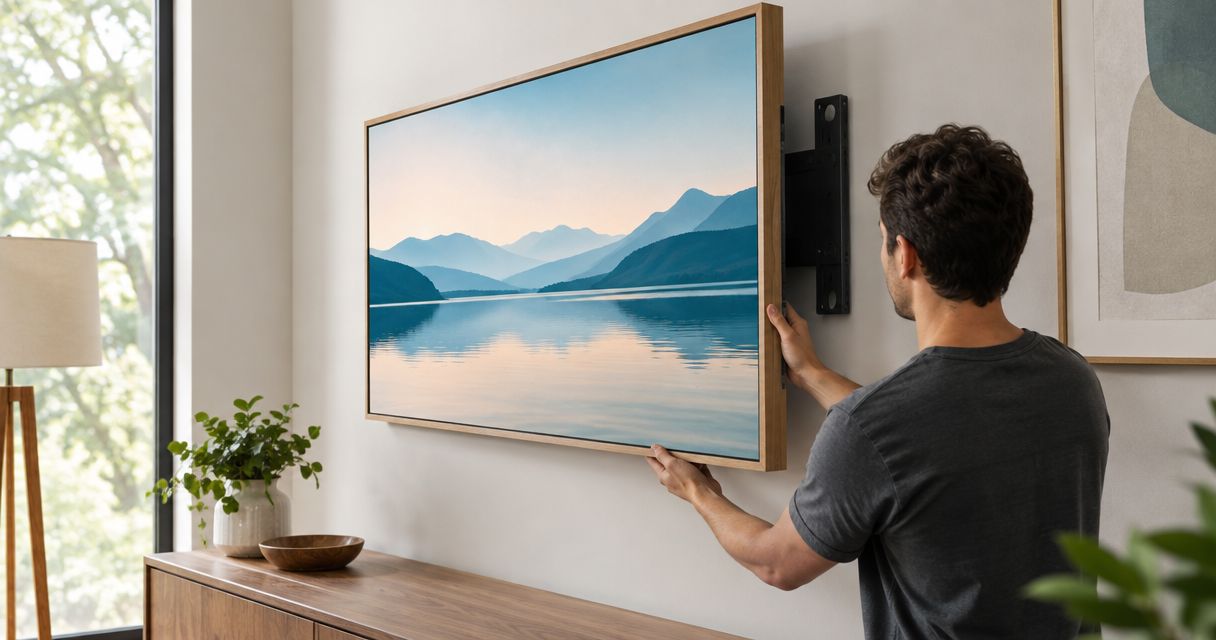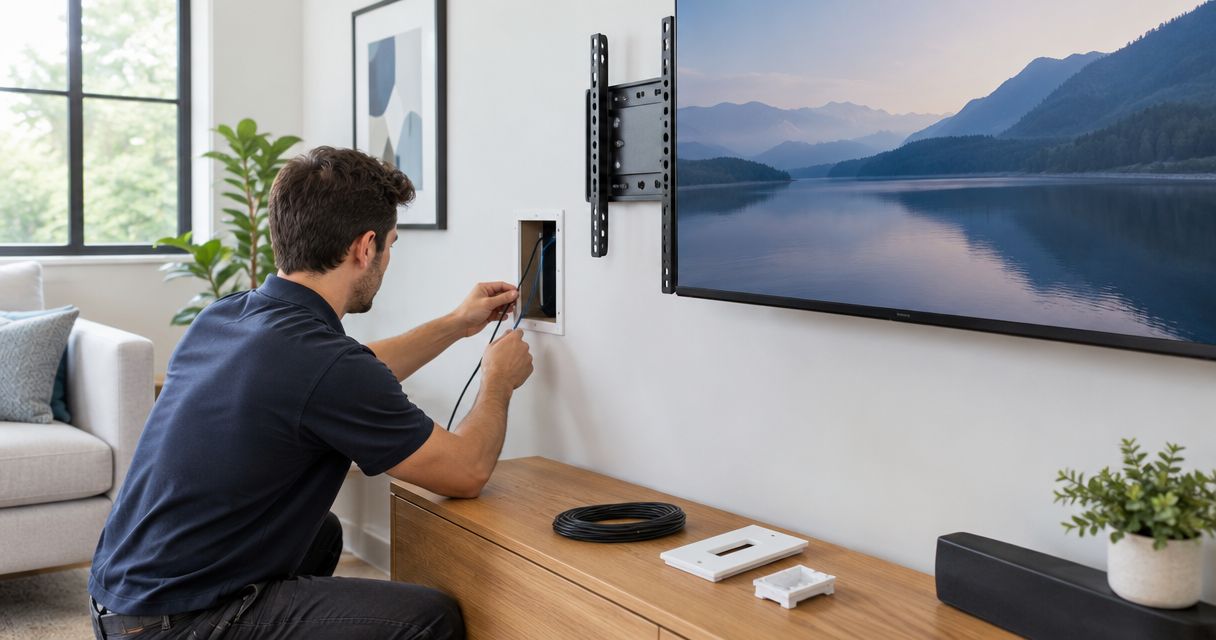
Instead of hiding loose cords behind furniture, connect your mounted TV to a hidden in-wall cable kit that routes signal cables through a suitable wall cavity and handles power separately. This 2026 guide explains how to plan the route, install the kit within its instructions, and test the connections before rehanging the screen.
- A tv mount hidden in-wall cable kit must keep signal routing separate from unsafe power-cord concealment.
- Never put a TV power cord or ordinary extension cord inside a wall.
- Test HDMI connections before routing cables, then retest with the mount extended.
- Nextsteppgh suits Pittsburgh homeowners seeking TV mounting alongside handyman services.
Why this matters
A tidy TV installation starts with the wall, not the cover plate. A cable opening cannot solve blocked framing, an unsuitable power connection, or a bracket that covers the TV’s ports.
Nextsteppgh is best for Pittsburgh homeowners who want TV mounting coordinated with handyman services. You can discuss the mounting and finishing work with Nextsteppgh; describe electrical work separately so the appropriate professional handles it.
The goal is a serviceable installation. You should be able to reach connections, move an articulating mount without pulling cables tight, and replace a signal cable without damaging the wall finish.
Before you start
- Gather the equipment and instructions. Have the TV and mount manuals, the selected cable kit’s installation instructions, suitable signal cables, measuring tools, and the supplied cutting template. Arrange help for lifting the TV according to its manual.
- Confirm access and permissions. Identify the wall construction, bracket location, existing receptacle, and source-device location. For a condo or shared wall, confirm alteration requirements before cutting; a fire-rated assembly needs an approved treatment.
- Check the hidden obstruction first. Two openings that appear vertically aligned can still be separated by blocking, insulation, pipes, or wiring. Do not cut both openings until you have established a suitable route, and do not use a detector reading as proof that cutting is safe.
Stop if the project requires new fixed electrical wiring, uncertain wall construction, or modification of a fire-rated assembly. Have the appropriate qualified professional establish the installation method before proceeding.
Kit selection and wall layout
Choose the right cable kit
A signal-cable pass-through and a power-relocation kit do different jobs. Choose according to where the TV will receive power, not simply according to which cover plate looks cleaner.
| Configuration | Best for | Advantage | Limitation |
|---|---|---|---|
| Signal-only pass-through | A TV with an appropriate, accessible receptacle already behind it | Routes compatible signal cables without changing the power connection | Does not make a TV power cord suitable for concealment inside a wall |
| Listed power-relocation kit | An installation needing power behind the TV, where the kit’s instructions permit the proposed arrangement | Provides a defined power path using the kit’s specified components | Suitability depends on the wall, installation instructions, and local electrical requirements |
A power-relocation kit is not permission to improvise electrical connections. Use only the components and arrangement specified by its manufacturer; have an electrician handle work outside that scope.
For a 2026 installation, check the instructions supplied with the exact kit you have. A similar-looking kit’s video or template is not a substitute.
- Identify whether you need signal routing alone or a separate power solution.
- Confirm that each concealed signal cable carries a marking suitable for the intended in-wall use. An HDMI performance label alone does not establish that suitability.
- Check that the kit supports the wall material and thickness involved.
- Confirm that the largest connector can pass through the opening and any specified pathway without force.
Expected result: You have a kit suited to the wall and a defined, permitted power arrangement before making an opening.
Mark the cable route
- Locate the mount’s wall plate, fasteners, moving arms, and the TV’s connection panel using the actual equipment or its templates.
- Mark the upper opening where the TV will conceal it without blocking access to the ports or interfering with the mount.
- Mark the lower opening near the source equipment, keeping it accessible after furniture returns to position.
- Check the proposed path for framing and services using appropriate inspection methods. If its condition remains uncertain, stop and arrange inspection rather than probing blindly.
- Measure the full cable route, including the distance to the source device and the movement of an articulating arm. Allow usable slack without creating a bundle behind the screen.
For a typical pass-through layout, plan 2 wall openings: an upper connection point and a lower connection point. That is a layout choice, not a universal kit requirement; follow the supplied template and instructions.
Expected result: Both opening locations clear the mount, remain serviceable, and connect through a verified route.
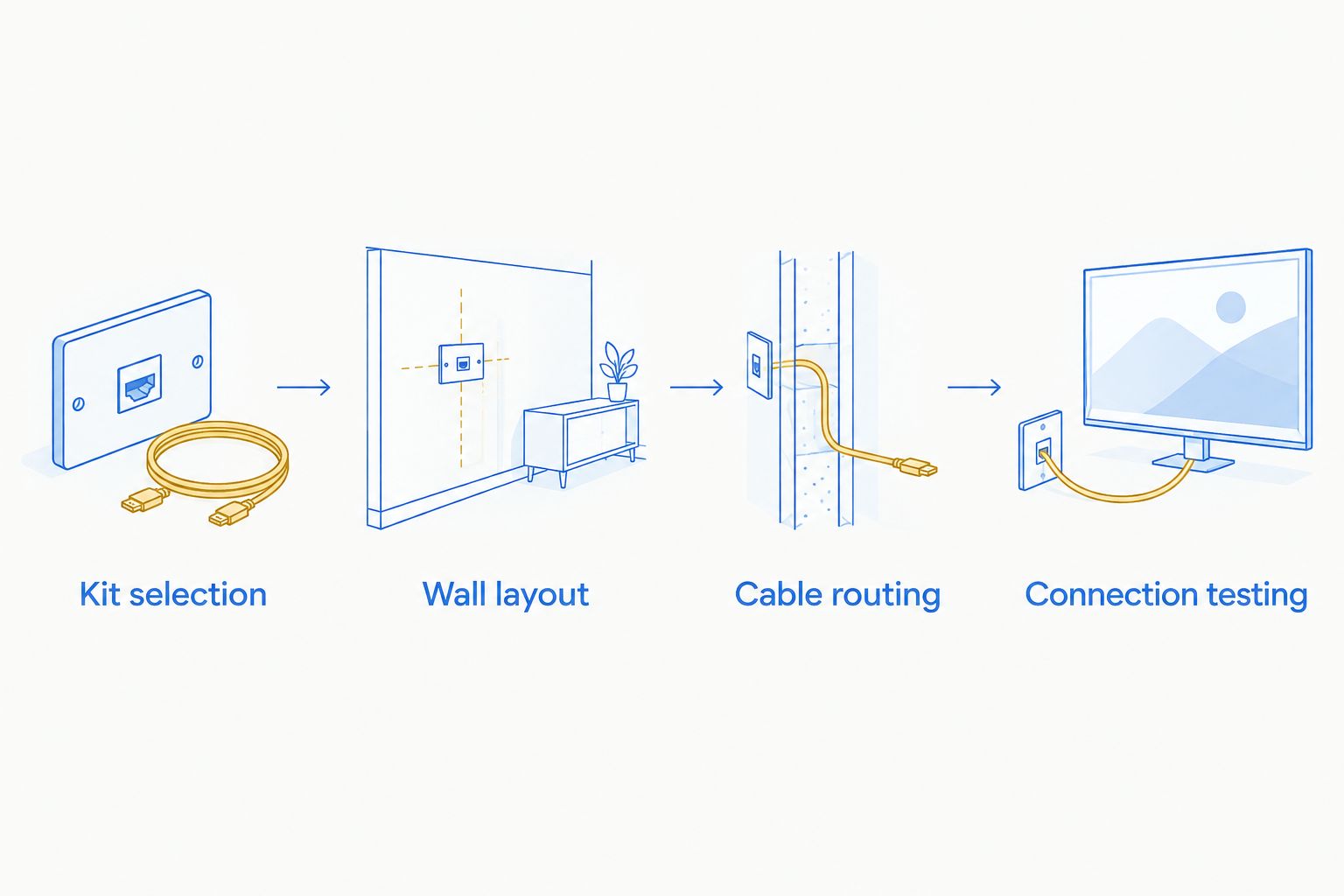
Cable routing and plate installation
Check the connections before concealment
A cable that works loosely across the floor is easier to diagnose than one already installed behind a mounted screen. Complete this check with the exact source device and cable you intend to use.
- Connect the source to the TV outside the wall. Select the corresponding input using the TV’s own menu labels.
- Play content and confirm both picture and sound at the settings you intend to use. Check the equipment manuals for supported combinations.
- Identify both cable ends with matching removable labels. For a directional cable, follow its marked source and display orientation.
- Turn off and unplug the equipment before disconnecting cables or handling the installation.
- If removing the TV, follow the mount’s release procedure and use the assistance required by the TV’s handling instructions.
Use 2 matching labels per signal cable, one at each end. Clear labels prevent an avoidable guessing exercise when several similar connectors emerge behind the TV.
Expected result: The signal path works before concealment, and you know which cable end belongs at each device.
Install the pathway and route the cables
- Protect the floor and nearby finishes. Keep the removed TV supported as its manual specifies, away from the cutting area.
- Follow the kit’s template and cutting instructions only after confirming the opening locations and the space behind them. Do not cut deeply into an unverified cavity.
- Install the pass-through components as directed. Do not substitute parts or enlarge openings to compensate for a blocked route.
- Route compatible signal cables through the approved pathway. Protect connector ends and pull gently; stop if a connector catches rather than applying more force.
- Maintain the separation from power wiring required by the kit, cable instructions, and applicable electrical rules. Do not place signal and power wiring together in an enclosure unless the arrangement is specifically designed and permitted for that purpose.
- Complete any power-relocation assembly strictly within its instructions and permitted scope. Leave new receptacles, fixed wiring changes, and uncertain electrical connections to an electrician.
- Secure the plates without overtightening. Leave connections accessible and avoid trapping cables against sharp edges.
Never conceal an ordinary extension cord, power strip, or the TV’s flexible power cord inside the wall. A low-voltage opening does not change what those cords are designed to do.
Expected result: The plates sit securely, the signal cables move without snagging, and power follows a separate, appropriate arrangement.
Connection testing and mount movement
Reconnect and verify the installation
- With the equipment unplugged, connect each labelled signal cable to the intended port. Use the equipment manual rather than assuming all HDMI ports have identical functions.
- Attach the TV to the mount following its instructions. Confirm that the mount’s locking or retaining mechanism is engaged.
- Position slack so the mount cannot pinch, stretch, or sharply bend the cables. Keep cables away from moving joints.
- Reconnect power through the intended accessible connection, then turn on the equipment.
- Select the correct TV input and repeat the earlier picture-and-sound test.
- If the mount articulates, move it slowly through its intended operating range while watching the cables. Stop immediately if a cable tightens or catches.
Use 3 checkpoints for your 2026 handover: picture and sound, cable clearance, and connection access. A working picture alone does not confirm that the installation remains usable when the TV moves.
Expected result: The TV works in its normal viewing position, the mount moves without cable strain, and the connections remain reachable.
Second workflow: add a soundbar connection
The same concealed route can support a compatible TV-to-soundbar connection, but decide where the soundbar will sit before finalizing the openings. A soundbar below the TV creates a different cable destination from equipment inside a cabinet.
For a 2026 soundbar upgrade, check both devices’ manuals for the supported connection. On compatible equipment, the relevant HDMI sockets carry ARC or eARC markings; an ordinary HDMI input is not interchangeable with that audio-return connection.
- Confirm the supported connection on both devices and test it outside the wall.
- Plan a route that reaches the soundbar without stretching across the bracket or leaving an inaccessible connector.
- Route a suitably marked cable through the permitted pathway, then connect the specified ports.
- Select the audio-output settings named in your TV’s manual. Menu wording varies by manufacturer and model.
- Test sound and volume control before finishing cable management.
Expected result: The soundbar receives TV audio through the intended connection, with no cable tension when the TV moves.
For the device-connection sequence, use the guide to connecting a mounted TV to a Sonos soundbar system.
Troubleshooting
The cable will not pass through the wall
Stop pulling. A connector can catch on an opening, while blocking or insulation can prevent the route entirely. Inspect the obstruction and revise the installation method; do not drill through unseen framing or force a cable past unknown services.
The TV shows no signal after installation
Check the selected input, connector seating, and any directional cable markings. Reconnect the source with a known-working cable outside the wall to isolate the concealed cable from the source and TV. Change one connection at a time.
The picture drops when you extend the mount
Stop moving the TV and inspect cable tension and pinch points. Reposition the service loop or replace a cable that cannot span the full movement comfortably. Leaving the mount partly extended is not a repair for strained connections.
The cover plate or connectors hit the bracket
Do not force the TV onto the mount. Check the plate position, connector clearance, and mount instructions. A revised opening location or a compatible lower-profile connection arrangement is better than a bent plug trapped behind the screen.
The wall contains unexpected material
Pause if you find masonry, dense insulation, blocking, or an unfamiliar assembly. The planned kit and cutting method need reassessment. In older finishes, avoid further disturbance until any material-specific precautions have been established.
Customize your workflow
Build a small connection record for your 2026 installation: photograph the cable labels, port assignments, kit identification, and accessible connections before closing the work. Keep that record with the equipment manuals rather than relying on memory.
If the kit permits a suitable spare pull line or replaceable pathway, follow its instructions for future cable changes. Do not add improvised conduit, spare power cords, or extra openings simply to make the wall look future-ready.
Nextsteppgh provides TV mounting and handyman services for Pittsburgh homeowners. The advantage is coordinating the physical mounting and finishing tasks; the limitation is that electrical scope still needs explicit confirmation rather than an assumption that a mounting appointment includes it.
Plan your TV mounting project
Discuss the wall, mounting position, cable route, and finishing work before installation.
FAQ
Can I run my TV power cord through the wall?
No. Do not conceal the TV’s flexible power cord or an ordinary extension cord inside the wall. Use an appropriate receptacle or a listed power-relocation arrangement installed according to its instructions and local requirements.
What does a TV mount hidden in-wall cable kit actually hide?
A signal-only kit provides a pathway for suitably rated signal cables between wall openings. A power-relocation kit has a separate specified power arrangement; do not assume a signal pass-through provides one.
Can I install a hidden cable kit without taking the TV down?
Only proceed if the mount and kit instructions allow the work and you have safe access. Remove the TV when access, cutting clearance, or handling safety requires it, following the equipment instructions.
Does every HDMI cable work inside a wall?
No. The cable needs a marking suitable for the intended concealed installation as well as the performance needed by your equipment. Picture quality claims alone do not establish an in-wall rating.
Why does my TV lose its picture when I move the mount?
Cable tension, a pinched cable, or a disturbed connector can interrupt the signal during movement. Stop extending the mount and inspect the full route before using it again.
Can I use a hidden cable kit above a fireplace?
Only after confirming the wall construction, heat exposure, equipment instructions, and a permitted cable route. Do not cut into a chimney, flue enclosure, or unknown fireplace assembly to create a pathway.
Can Nextsteppgh help with TV mounting in Pittsburgh?
Yes. Nextsteppgh provides TV mounting and handyman services for Pittsburgh homeowners. Describe the wall and cable-routing needs when discussing the project, and confirm electrical work separately.
One last thing
Test the TV in the position you will actually use. A cable loop that looks generous with the screen flat against the wall can tighten when you turn it toward a chair. Finish the installation only after checking that movement and confirming you can still reach the connections.